
- File
-
Designs
-
-
All categories -
Category #1 - New category
-
My designs
-
- Share
-
HELP
-
Quick help
- ctrl+a
Select all objects
ctrl+d Double the activate object
ctrl+e Clear all objects
ctrl+s Save current stage to my design
ctrl+o Open a file to import design
ctrl+p Print
ctrl++ Zoom out
ctrl+- Zoom in
ctrl+0 Reset zoom
ctrl+z Undo changes
ctrl+shift+z Redo changes
ctrl+shift+s Download current design
delete Delete the activate object
← Move the activate object to left
↑ Move the activate object to top
→ Move the activate object to right
↓ Move the activate object to bottom
shift+← Move the activate object to left 10px
shift+↑ Move the activate object to top 10px
shift+→ Move the activate object to right 10px
shift+↓ Move the activate object to bottom 10px - Custom help content
Powered by Lumise version 2.0.6
-
- Shop
- Cancel
- Relaunch
-

-
 English
-
French
Languages
-
- 0.0
-
my basket
- Back to store
- Design
- Product
- Models
- Cliparts
- Images
- Text
- Shapes
- Layers
Click or upload images here
Click or drag to add text






-
Start designing by adding objects on the left-hand side
- All selected objects are grouped | UNGROUP?
- Group objects # 455 _.
-
-
Filling options
-
- Create Qrcode
-
Options
-
Automatically align the position of the active object with other objects -
ON: Keep all current objects and add template OFF: Delete all objects before installing template -
Replace the selected image object instead of creating a new one
-
- Replace image
- Crop
-
Mask
-
Select the mask layer
-
-
remove background
-
remove background
-
deeply:
-
MODE:
-
-
Filters
-
Filters
-
- Original
- B&W
- Satya
- Doris
- Sanna
- Vintage
- Gordon
- Carl
- Shaan
- Tonny
- Peter
- Greg
- Josh
- Karen
- Melissa
- Salomon
- Sophia
- Adrian
- Roxy
- Monkey
- Borg
- Ventura
- Andy
- Vivid
- Purple
- Thresh
- Aqua
- Edge wood
- Aladdin
- Amber
- Anne
- Doug
- Earl
- Kevin
- Polak
- Stan
-
brightness:
-
saturation:
-
Contrast:
-
- Clear filters
- Click and drag to start drawing. Ctrl+Z = undo, Ctrl+Shift+Z = redo
- QRCODE Text
-
Filling options
-
Filling options
-
Transparent:
-
Line width:
-
Line color:
-
- Overtaking position
-
Organizing layers
-
Position
-
Object position
Position of locking object:
-
Vertical center
-
top left
-
Upper center
-
Top right
-
HORIZONTAL CENTER
-
Middle left
-
Central hub
-
Middle right
- Press & Leftarrow;
-
Bottom left
-
Down the center
-
Bottom right
-
-
Transform
-
Rotation:
-
ISKEW X:
-
Skew y:
-
Flip x:
flip y:
Free transform by pressing Shift + ⤡
-
-
Police family
-
Edit text
-
Edit text
-
-
Font size:
-
Letter spacing
-
Line height
-
-
Text effects
-
Text effects
-
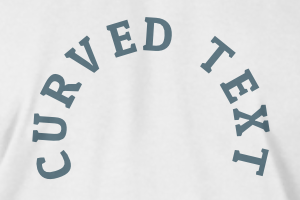
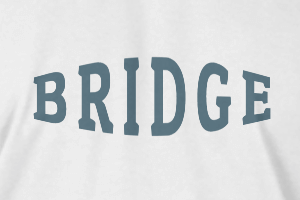
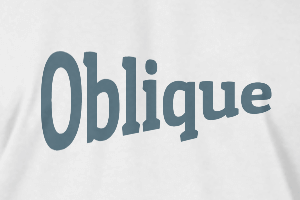
-
RADIUS
-
Spacing
-
Curve
-
Height
-
Offset
-
Trident
-
-
Align text
- Bold font weight
- Italic text style
- # 535 _.
Scroll zoom